Budgeting
How to Track Your Spending (and Actually Find Where the Money Goes)
A simple 30-day method to track spending from bank statements, sort it into categories, spot leaks, and turn what you find into a realistic paycheck budget.
On this page
- Why track before you budget
- Method 1: Look back at last month (fastest)
- Method 2: Track forward for 30 days
- Keep categories simple
- What to look for
- Turn your findings into a budget
- Make tracking a habit
- Tracking as a couple or family
- Privacy and security
- Use what you learn
- A shortcut
- A sample one-month summary
- The bottom line
- Categorizing faster
- Cash and shared accounts
Most budgets fail for one reason: they're based on guesses. People think they spend $300 a month on groceries and find out it's closer to $550 once takeout, snacks, and quick store runs are counted. Tracking your spending for a month replaces guesses with facts. This guide gives you a simple method that takes about an hour to set up and a few minutes a week after that.
Why track before you budget
- Realistic numbers. A budget built on what you actually spend is one you can stick to.
- Spotting leaks. Small recurring charges and frequent small purchases often add up to more than people expect.
- No judgment, just data. The goal of the first month isn't to cut anything. It's to see clearly.
Method 1: Look back at last month (fastest)
You don't have to wait a month to start. Your bank and card statements already contain last month's spending.
- Download or open the last 30–60 days of transactions from every checking account and credit card.
- Put them into a single spreadsheet with Date, Description, Amount, and Category columns. Many banks offer a CSV export, which opens directly in Google Sheets.
- Assign each transaction a category.
- Total each category with
=SUMIF(category_range,"Groceries",amount_range).
That's it. In an hour you'll know where last month's money went.
Method 2: Track forward for 30 days
If you use a lot of cash or want more detail, track every purchase for the next 30 days. Use a note on your phone or a simple sheet. Write the amount, what it was, and the category the same day. At the end of each week, total the categories.
Keep categories simple
Too many categories make tracking tedious. Start with about 10 to 12:
- Housing (rent/mortgage)
- Utilities and phone
- Transportation (car payment, insurance, gas, transit)
- Groceries
- Eating out and takeout
- Household and personal care
- Health (co-pays, prescriptions)
- Kids and pets
- Subscriptions and memberships
- Debt payments
- Fun and entertainment
- Gifts and irregular
You can split categories later if one turns out to be large and mixed.
What to look for
Once you have totals, look for:
- Subscriptions you forgot about. Search descriptions for words like "monthly" or familiar app names.
- Frequent small purchases. Twenty $8 purchases are $160.
- Fees. Overdraft, ATM, late, and monthly maintenance fees. These are often the easiest money to get back.
- Categories that surprised you. These are your first targets.
Turn your findings into a budget
Now you have real numbers. Use them as your starting budget, then pick one or two categories to trim modestly. If eating out was $400, try $300 next month rather than $0. Small cuts that last beat big cuts that collapse.
If you're paid biweekly, divide each monthly category by about 2.17 (26 paychecks ÷ 12 months) to get a per-paycheck amount, or just plan bills and spending per paycheck as described in how to budget biweekly paychecks.
Make tracking a habit
- Once a week: download new transactions and categorize them. Ten minutes.
- Every payday: compare spending so far against the plan.
- Once a month: total everything and adjust next month's budget.
Set a recurring phone reminder. Pick a regular time, like Sunday evening.
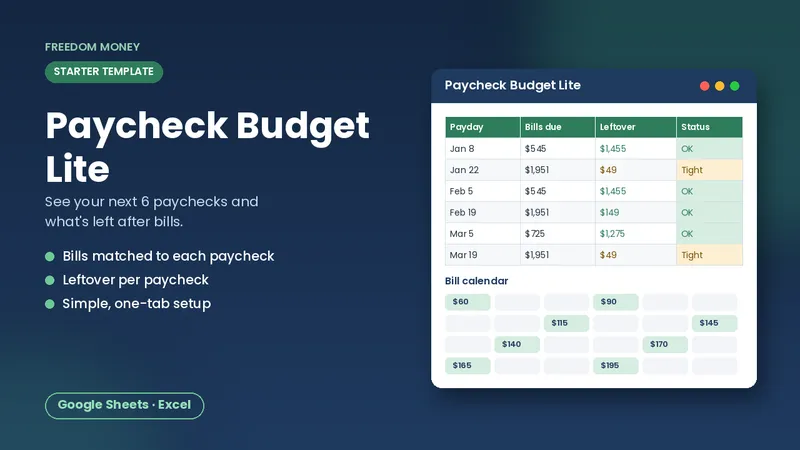
Free: Paycheck Budget Lite
A simple starter spreadsheet for Google Sheets or Excel. List your take-home pay and bills and see what each paycheck has left. Free, instant download.
Download the free templateTracking as a couple or family
If you share money with someone, track together for the first month. Agree on categories and look at the totals side by side, without blame. Each person can have a set amount of personal spending that doesn't need to be explained. Shared Google Sheets work well for this because both people can update from their phones.
Privacy and security
You don't need full account numbers in your sheet. Description, date, and amount are enough. Protect your Google account with a strong password and two-step verification.
Use what you learn
Tracking is the foundation. Once you know where your money goes, you can:
- Build a zero-based budget that gives every dollar a job
- Find extra money for debt payoff
- Fund savings goals and an emergency fund
A shortcut
Our Biweekly Paycheck Budget takes your real bills and spending categories and turns them into a plan for all 26 paychecks of the year, with warnings when a paycheck is short. Start with the free Lite version if you just want a simple place to put your numbers.
A sample one-month summary
| Category | Total | Notes |
|---|---|---|
| Groceries | $520 | Higher than guessed ($350) |
| Eating out | $310 | Mostly weekday lunches |
| Subscriptions | $74 | Two unused, $23 total |
| Fees | $35 | One overdraft |
From this, a realistic plan might be: cancel two subscriptions (+$23), pack lunch twice a week, and set up a small buffer to avoid overdrafts. Three small changes, real money.
The bottom line
Spend an hour pulling last month's transactions into a spreadsheet, sort them into a dozen categories, and total them. You'll see exactly where your money goes. Then build your budget on those real numbers and check in weekly. Tracking isn't about restriction; it's about knowing.
Categorizing faster
Most people find categorizing is the slowest step. A few tricks help. Sort transactions by description so repeated merchants sit together, then categorize them all at once. In Google Sheets, a lookup table with merchant keywords and categories can fill most rows automatically using a formula that searches the description. Anything left blank you categorize by hand. After the first month the lookup table covers most of your regular merchants, and weekly tracking takes just a few minutes.
Cash and shared accounts
Cash purchases don't show up on statements, so they're the easiest spending to lose track of. If you use cash often, note the amount and category on your phone right after paying, or keep receipts in one envelope and enter them weekly. For shared accounts, agree on who categorizes which transactions so nothing is counted twice. Small gaps add up over a month, and closing them is what makes your totals trustworthy.
Frequently asked questions
What's the easiest way to track spending?
Export the last 30 to 60 days of transactions from your bank and cards into a spreadsheet, categorize them, and total each category.
How many budget categories should I use?
About 10 to 12 is enough for most people. Split a category later only if it's large and mixed.
How often should I track spending?
A quick weekly update, a check on payday, and a monthly review work well for most people.
This guide is general educational information, not financial, tax, legal, or insurance advice. Examples are illustrations, not predictions. See our disclaimer.