AI + Money
How to Use a Free AI Chatbot to Build a Budget (Step by Step, With Prompts)
Use a free AI chatbot to organize your bills, plan each paycheck, and spot savings, with copy-and-paste prompts, privacy rules, and why you should still check the math.
On this page
- What AI is good at (and not) for budgeting
- Protect your privacy first
- Step 1: Give it your income and bills (anonymized)
- Step 2: Ask it to assign bills to paychecks
- Step 3: Ask it to find the problem paychecks
- Step 4: Brainstorm savings, then decide yourself
- Step 5: Give the leftover a job
- Always double-check the math
- Step 6: Move the plan into a spreadsheet
- More useful prompts
- A realistic expectation
- Review your budget with AI each month
Free AI chatbots such as ChatGPT, Google Gemini, Microsoft Copilot, and Claude all offer free versions that can help you organize a budget. They won't magically fix your finances, and they can make mistakes, but they're genuinely useful as a patient assistant that turns a messy list of bills into a clear plan. This guide shows a step-by-step process with prompts you can copy, plus the privacy rules and checks that keep it safe.
What AI is good at (and not) for budgeting
Good at:
- Turning a messy list of bills into a clean table
- Grouping expenses into categories
- Explaining budgeting methods in plain English
- Brainstorming ways to cut a specific cost
- Drafting a paycheck-by-paycheck plan for you to review
Not good at:
- Reliable arithmetic every time (always check totals)
- Knowing your bank balance or real transactions (and you shouldn't give it access)
- Current, local, or official rules unless you verify them
- Making decisions for you; it's a helper, not an advisor
Protect your privacy first
Before typing anything about your money into a chatbot, follow a few rules:
- Never share account numbers, card numbers, passwords, PINs, your Social Security number, or login codes. No budgeting task needs them.
- Round and anonymize. "Rent about $1,200" is just as useful as your exact lease details.
- Check the settings. Many chatbots let you turn off chat history or opt out of having conversations used for training. Look in the privacy or data controls section of the tool you use.
- Be wary of anything that asks for money or logins. A legitimate chatbot won't need your bank password to help you plan. The FTC has guidance on spotting scams at consumer.ftc.gov.
Step 1: Give it your income and bills (anonymized)
Copy this prompt and fill in your own rounded numbers:
You'll get a tidy table. Check the total yourself.
Step 2: Ask it to assign bills to paychecks
This is the heart of a biweekly budget. If you want the logic explained, read how to budget biweekly paychecks.
Step 3: Ask it to find the problem paychecks
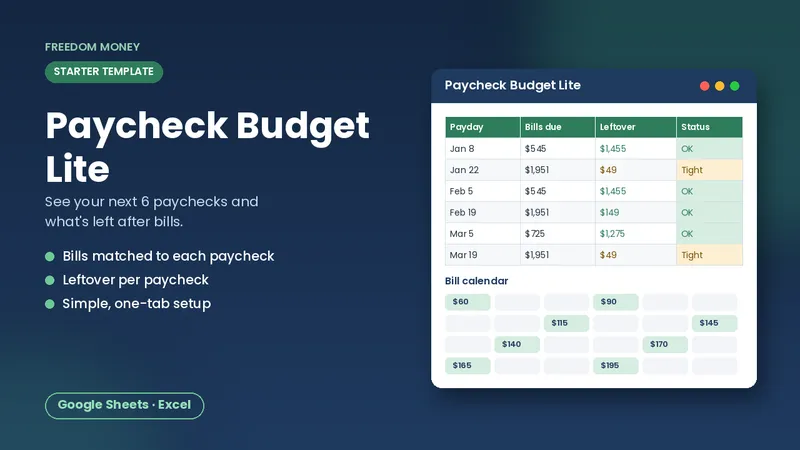
Free: Paycheck Budget Lite
A simple starter spreadsheet for Google Sheets or Excel. List your take-home pay and bills and see what each paycheck has left. Free, instant download.
Download the free templateStep 4: Brainstorm savings, then decide yourself
Asking for questions rather than orders keeps you in charge.
Step 5: Give the leftover a job
Then confirm the time estimates with the simple formula from how much to save per paycheck: amount left to save divided by paychecks left.
Always double-check the math
AI chatbots are good at explaining ideas and organizing information, but they can make arithmetic mistakes or state things confidently that aren't true. Treat every number they give you as a draft. Re-add totals yourself, or paste the figures into a spreadsheet where formulas do the math. For anything involving taxes, laws, or official rules, check the official source (like irs.gov or consumerfinance.gov) rather than relying on the chatbot's answer.
Step 6: Move the plan into a spreadsheet
A chat conversation is a poor place to keep a budget. You can't update it easily, and it won't recalculate when a bill changes. Once the chatbot helps you organize your numbers, move them into a spreadsheet where formulas keep everything accurate. You can ask the chatbot, "Format my bills as comma-separated values with columns Bill, Amount, Due day," then paste the result into Google Sheets.
Our Biweekly Paycheck Budget is built for exactly this step: paste in your bills, and it assigns each one to the right paycheck for all 26 paydays, with warnings when a paycheck is short. The free Lite version works too if you want to start simple.
More useful prompts
- "Explain zero-based budgeting like I'm a beginner, using my numbers."
- "Make a one-week meal plan using cheap staples for a family of four, with a shopping list."
- "Write a polite script asking my phone company if there's a lower-cost plan."
- "Turn my bill list into a checklist I can use every payday."
A realistic expectation
Using a chatbot won't change how much you earn, and it isn't a financial advisor. What it can do is save time organizing, explain ideas patiently, and help you think through choices. The decisions, and the checking, are yours. Used that way, it can make budgeting faster and less intimidating.
Review your budget with AI each month
Once a month, paste last month's category totals (no account details) and ask: "Compare these totals with my plan of [plan]. Which categories went over, and what are two small, realistic changes I could try next month?" Then decide for yourself which suggestion fits your life. A monthly review like this takes a few minutes and keeps the budget improving instead of going stale. Keep the final numbers in your spreadsheet, not in the chat, so they stay accurate and easy to update on every payday.
Frequently asked questions
Can ChatGPT or other chatbots make a budget for me?
They can help organize your numbers and draft a plan, but you should check the math and keep the budget in a spreadsheet.
Is it safe to put my finances into an AI chatbot?
Share only rounded, anonymized numbers. Never share account numbers, passwords, card numbers, or your Social Security number.
Which free AI chatbot is best for budgeting?
Free versions of popular chatbots all handle basic organizing and explaining. Pick one whose privacy settings you're comfortable with.
This guide is general educational information, not financial, tax, legal, or insurance advice. Examples are illustrations, not predictions. See our disclaimer.