AI + Money
Free Ways to Use AI to Save Money (Honest Tips, No Hype)
Practical, free ways to use AI chatbots to save money: meal planning, subscription audits, comparing plans, negotiating scripts, and savings goals, plus what AI can't do.
On this page
- Use 1: Plan cheaper meals
- Use 2: Audit your subscriptions
- Use 3: Understand bills and plans
- Use 4: Draft scripts for asking for a better deal
- Use 5: Compare big purchases
- Protect your privacy first
- What AI can't do for your savings
- Always double-check the math
- Turn small savings into real progress
- A simple weekly routine
- The bottom line
AI chatbots get a lot of hype. Some of it is deserved; a lot isn't. When it comes to saving money, the honest picture is this: AI won't find hidden money in your bank account, but free chatbots can save you time and help you make better everyday decisions. This guide covers practical, free uses that work, the limits to know, and how to turn what you save into real progress.
Use 1: Plan cheaper meals
Food is one of the most flexible parts of most budgets. Try:
You can add "no dairy," "30 minutes or less," or "use what's in my pantry: [list]." Compare the shopping list with what's on sale at your store this week. The value here is time: a plan made in two minutes makes it easier to skip takeout on a busy night.
Use 2: Audit your subscriptions
Write down every recurring charge from your last two statements (names and amounts only, no account numbers), then ask:
Double-check the totals. Then redirect every dollar you cancel into a savings goal the same day, or it disappears into everyday spending.
Use 3: Understand bills and plans
Confusing bills and plan options are where AI explanations shine:
Verify any price details on the provider's official site; plan terms change often.
Use 4: Draft scripts for asking for a better deal
Many people never ask for a lower rate because they don't know what to say. A chatbot can draft a polite script:
It costs nothing to ask, and the worst answer is no.
Use 5: Compare big purchases
Before a bigger purchase, ask for a checklist of what to compare, not a recommendation:
Lists like this help you think about the total cost of ownership, not just the sticker price.
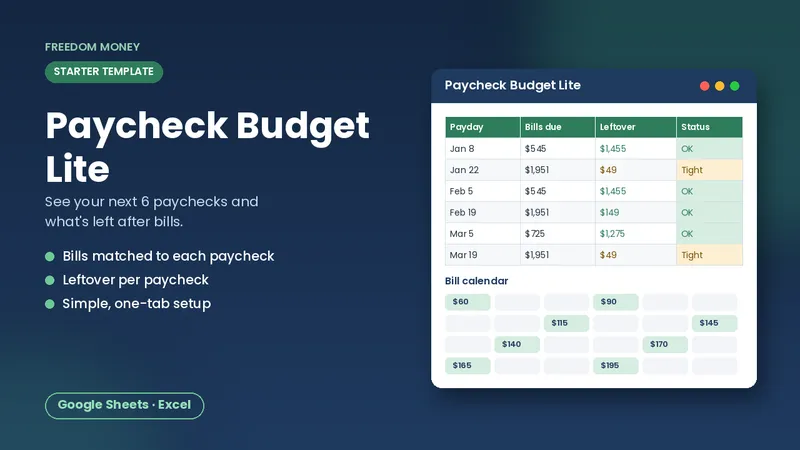
Free: Paycheck Budget Lite
A simple starter spreadsheet for Google Sheets or Excel. List your take-home pay and bills and see what each paycheck has left. Free, instant download.
Download the free templateProtect your privacy first
Before typing anything about your money into a chatbot, follow a few rules:
- Never share account numbers, card numbers, passwords, PINs, your Social Security number, or login codes. No budgeting task needs them.
- Round and anonymize. "Rent about $1,200" is just as useful as your exact lease details.
- Check the settings. Many chatbots let you turn off chat history or opt out of having conversations used for training. Look in the privacy or data controls section of the tool you use.
- Be wary of anything that asks for money or logins. A legitimate chatbot won't need your bank password to help you plan. The FTC has guidance on spotting scams at consumer.ftc.gov.
What AI can't do for your savings
- It can't see real prices in your area reliably. Treat any price it gives as a guess and check the store or provider.
- It doesn't know your full situation. Suggestions are general.
- It can be confidently wrong. Facts, numbers, and rules need checking.
- It doesn't replace a plan. Ideas only save money if you act on them and track the results.
Watch out for products marketed as "AI money-making" or "AI investing" systems that promise returns. Those promises are a classic warning sign. The FTC and CFPB both publish guidance on scams at consumer.ftc.gov and consumerfinance.gov.
Always double-check the math
AI chatbots are good at explaining ideas and organizing information, but they can make arithmetic mistakes or state things confidently that aren't true. Treat every number they give you as a draft. Re-add totals yourself, or paste the figures into a spreadsheet where formulas do the math. For anything involving taxes, laws, or official rules, check the official source (like irs.gov or consumerfinance.gov) rather than relying on the chatbot's answer.
Turn small savings into real progress
The money you free up from cheaper meals or a cancelled subscription only matters if it goes somewhere on purpose. Pick one goal, such as a starter emergency fund, a holiday fund, or extra debt payments, and send your savings there each payday. Use the formula from how much to save per paycheck to see how quickly it adds up.
Our Savings Goals Tracker tracks several goals at once, with progress bars, months left, and the amount needed per month and per biweekly paycheck. Watching a goal fill up is often what keeps the small habits going. If you're building a budget from scratch, see also how to use an AI chatbot to build a budget.
A simple weekly routine
- Ask for a meal plan and shopping list on the weekend.
- Review one bill or subscription each week.
- Move whatever you saved into your savings goal.
- Update your tracker on payday.
The bottom line
Free AI chatbots are useful helpers for meal planning, understanding bills, auditing subscriptions, and drafting scripts. They're not magic, and their numbers need checking. Use them to save time, keep your private details private, and send every dollar you save toward a goal you can see.
Frequently asked questions
Can AI really help me save money?
It can save time on meal planning, subscription audits, and comparing options, which helps you make cheaper choices. It doesn't find money by itself.
Are there free AI tools for saving money?
Yes. The free versions of popular AI chatbots can handle meal plans, bill explanations, and scripts for asking for better rates.
Should I trust AI with prices and rules?
Check them. AI can be wrong or out of date, so confirm prices with the provider and rules with official sources.
This guide is general educational information, not financial, tax, legal, or insurance advice. Examples are illustrations, not predictions. See our disclaimer.