AI + Money
AI Prompts for Paying Off Debt: Make a Snowball or Avalanche Plan
Copy-and-paste AI prompts to organize your debts, compare snowball and avalanche, find extra money, and draft calls to lenders, with privacy rules and math checks.
On this page
- Before you start: gather your numbers
- Protect your privacy first
- Prompt 1: Organize your debts
- Prompt 2: Understand the two methods
- Prompt 3: Find extra money for debt
- Prompt 4: Draft a month-by-month plan (then verify it)
- Prompt 5: Prepare for a call to your lender
- Prompt 6: Stay motivated
- Always double-check the math
- Prompts to avoid
- Keep the plan where the math is reliable
- A monthly routine
- The bottom line
- Use AI to check your understanding
Paying off debt is mostly about two things: choosing an order and sticking with it. A free AI chatbot can help with both by organizing your debts, explaining your options, and helping you find extra money. It can't negotiate for you or guarantee a payoff date, and its math needs checking. This guide gives you prompts that work, in the order you'd use them.
Before you start: gather your numbers
For each debt, write down the name (generic is fine, like "Card A"), current balance, interest rate (APR), and minimum payment. Your statements have all of these.
Protect your privacy first
Before typing anything about your money into a chatbot, follow a few rules:
- Never share account numbers, card numbers, passwords, PINs, your Social Security number, or login codes. No budgeting task needs them.
- Round and anonymize. "Rent about $1,200" is just as useful as your exact lease details.
- Check the settings. Many chatbots let you turn off chat history or opt out of having conversations used for training. Look in the privacy or data controls section of the tool you use.
- Be wary of anything that asks for money or logins. A legitimate chatbot won't need your bank password to help you plan. The FTC has guidance on spotting scams at consumer.ftc.gov.
Prompt 1: Organize your debts
Check the totals. You now have your snowball order and your avalanche order.
Prompt 2: Understand the two methods
For a fully worked example with real numbers, see our snowball vs. avalanche comparison. In that example, adding $200 a month to the minimums cut the payoff time from 46 months to 27–28, and the avalanche saved about $237 in interest compared with the snowball.
Prompt 3: Find extra money for debt
Pick one or two ideas you'll actually do. Also plan your three-paycheck months, which can send a whole paycheck to debt twice a year.
Prompt 4: Draft a month-by-month plan (then verify it)
This is where chatbots most often make mistakes. Long month-by-month interest calculations are easy to get wrong in a chat. Use the answer as a rough sketch, then build or use a spreadsheet where formulas do the work. Our guide on making a debt payoff plan in a spreadsheet shows how.
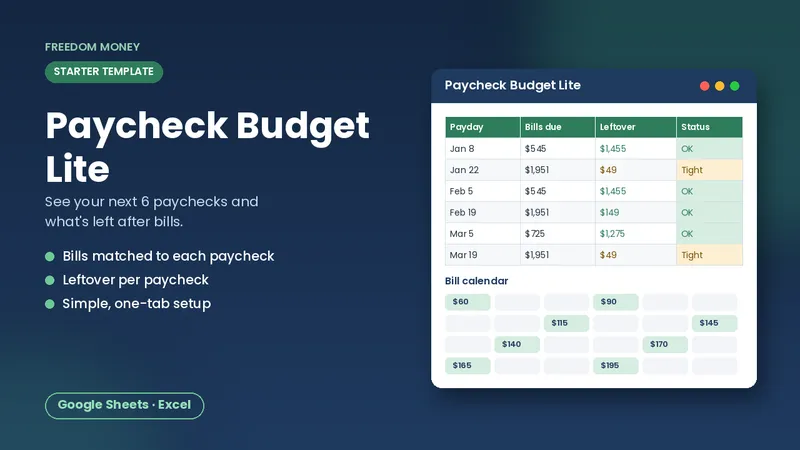
Free: Paycheck Budget Lite
A simple starter spreadsheet for Google Sheets or Excel. List your take-home pay and bills and see what each paycheck has left. Free, instant download.
Download the free templatePrompt 5: Prepare for a call to your lender
Asking costs nothing. If you're already behind, ask about hardship options before more payments are missed.
Prompt 6: Stay motivated
Always double-check the math
AI chatbots are good at explaining ideas and organizing information, but they can make arithmetic mistakes or state things confidently that aren't true. Treat every number they give you as a draft. Re-add totals yourself, or paste the figures into a spreadsheet where formulas do the math. For anything involving taxes, laws, or official rules, check the official source (like irs.gov or consumerfinance.gov) rather than relying on the chatbot's answer.
Prompts to avoid
- Anything that asks the chatbot to choose a debt-relief company for you. Research companies yourself using the CFPB's guidance on consumerfinance.gov, and be cautious of large upfront fees.
- Asking whether to take out a new loan to pay debt without checking the actual offer terms. A chatbot doesn't know the rate you'd qualify for.
- Requests that need your personal information, like "log in and check my balance." Never give it access.
Keep the plan where the math is reliable
A chatbot is great for getting started and thinking things through. The plan itself belongs in a spreadsheet that updates when balances change. Our Debt Payoff Tracker lets you list your debts, choose snowball or avalanche, and see an estimated payoff month for each debt, a total interest estimate, and a side-by-side comparison of both methods. Update balances monthly and watch the estimated debt-free date move.
A monthly routine
- Update each balance from your statements.
- Confirm every minimum is scheduled.
- Send the extra to the top debt on your list.
- If a debt is paid off, roll its payment to the next.
- Ask your chatbot for help only with the parts that are confusing.
The bottom line
AI prompts can help you organize debts, understand snowball and avalanche, find extra money, and prepare for calls. Keep personal details private, check every number, and keep your actual plan in a spreadsheet. The real progress comes from paying a little more than the minimum and rolling every freed-up payment forward.
Use AI to check your understanding
If a statement term confuses you, such as minimum payment warnings, promotional rates, or balance transfer fees, paste the wording (without account details) and ask the chatbot to explain it in plain English. Then confirm the explanation against your card agreement or the CFPB's explanations of credit card terms. Understanding your terms helps you avoid surprises while you pay down debt.
Frequently asked questions
Can AI make a debt payoff plan?
It can sketch one and explain your options, but long interest calculations are error-prone in chat. Verify the plan in a spreadsheet.
What's the best AI prompt for debt payoff?
Start by asking it to put your debts in a table sorted by smallest balance and by highest interest rate. That gives you both payoff orders.
Is it safe to share my debts with a chatbot?
Share only generic names and rounded numbers. Never share account numbers, passwords, or your Social Security number.
This guide is general educational information, not financial, tax, legal, or insurance advice. Examples are illustrations, not predictions. See our disclaimer.