Budgeting
How to Make a Bill Calendar So You Never Miss a Due Date
A step-by-step guide to building a bill calendar: list every bill, put it on its due day, match bills to paychecks, track what's paid, and catch overdue bills before late fees hit.
On this page
Most late fees don't happen because there's no money. They happen because a bill was forgotten: the water bill that comes every other month, the insurance premium that renews once a year, the card payment that moved after you switched banks. A bill calendar fixes that by putting every bill in one place, on the day it's due, where you can see it coming.
This guide walks through building one from scratch, matching bills to your paychecks, and the small weekly habit that keeps it accurate.
What a bill calendar actually is
A bill calendar is a month view with each bill written on its due date, plus a running list of what's coming up next. It answers three questions at a glance:
- What's due this week?
- Have I paid it yet?
- Which paycheck covers it?
A paper calendar works. A spreadsheet works better, because it can repeat bills automatically, add up totals and flag anything that slipped past.
Step 1: Find every bill (including the sneaky ones)
Open the last 12 months of bank and credit card statements and write down every payment that repeats. Twelve months matters: a 30-day look misses quarterly and yearly bills, and those are the ones that cause most surprises.
For each bill, note:
- Name (who you pay)
- Amount (use the typical amount for bills that vary, like electric)
- How often it's due: monthly, biweekly, quarterly or yearly
- Due date (the next one)
- Autopay? yes or no
- Which account pays it
Common bills people forget: annual subscriptions, car registration, renter's or car insurance paid every 6 or 12 months, quarterly water or trash, school fees, and "buy now, pay later" installments.
Step 2: Put each bill on its due day
Write each bill on its date for the month. Repeat monthly bills every month, quarterly bills every third month, and yearly bills once. For biweekly bills (some childcare, some loans), mark every other week from the first due date. Some months will have three biweekly payments instead of two, so check those months.
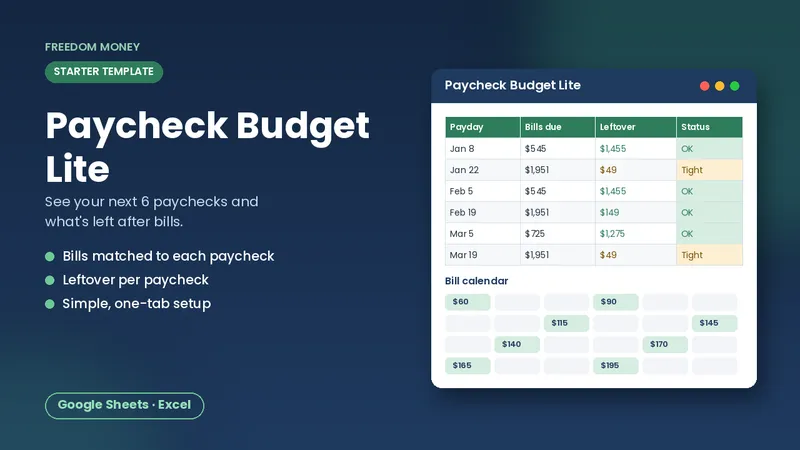
Free: Paycheck Budget Lite
A simple starter spreadsheet for Google Sheets or Excel. List your take-home pay and bills and see what each paycheck has left. Free, instant download.
Download the free templateStep 3: Match bills to paychecks
This is the step most bill calendars skip, and it's the one that stops the "rent is due but I don't get paid until Friday" panic. Mark your paydays on the same calendar. Then, for each bill, ask: which paycheck arrives before this due date?
| Due date | Bill | Amount | Paid from |
|---|---|---|---|
| --- | --- | --- | --- |
| 1st | Rent | $1,250 | Paycheck on the 26th (previous month) |
| 8th | Car payment | $340 | Paycheck on the 26th |
| 15th | Electric | $120 | Paycheck on the 9th |
| 22nd | Phone | $65 | Paycheck on the 9th |
Now add up the bills for each paycheck. If one paycheck is carrying far more than the other, you have two options: set aside part of the lighter paycheck, or call the company and ask to move the due date. Many lenders, card issuers and utilities will change a due date if you ask, though it isn't guaranteed. For a deeper walk-through, see how to budget biweekly paychecks.
Step 4: Track what's paid
A calendar that only shows due dates tells you what's coming, not what's done. Add a simple paid tick for each bill each month. When you pay, tick it. Anything past its due date without a tick is your overdue list.
Autopay bills still deserve a glance. Autopay can fail if the card on file expires or the account is short, so check that the payment actually went through.
Step 5: The 10-minute weekly check
Pick one day a week (payday works well) and:
- Look at everything due in the next 7 to 14 days.
- Make sure the money is in the right account.
- Pay or schedule anything that isn't on autopay.
- Tick off what's been paid.
- Add any new bill or price change.
That's it. Ten minutes a week is far cheaper than a single late fee, and it keeps late payments off your record.
What about yearly bills?
A bill calendar shows you a yearly bill is coming. It doesn't put money aside for it. Pair the calendar with a sinking fund so the cash is waiting when the date arrives. Our guide to sinking funds explains how to work out the amount per paycheck.
Paper, app or spreadsheet?
- Paper or a wall calendar: free and visible, but you rewrite it every month and do the math yourself.
- Banking or budgeting apps: convenient, but they usually only see accounts you've linked and may miss bills paid in cash or from another account.
- A spreadsheet: free in Google Sheets, private, repeats bills for you and totals them per paycheck. You enter the bills once.
If you'd like a ready-made version, the Bill Calendar & Due Date Tracker does the steps above for you: list up to 40 bills once and it builds the month calendar, shows the next 7 and 14 days, flags overdue bills and totals bills per paycheck. Prefer to start free? The free budget template covers the basics.
This article is general education, not financial advice. Always check amounts and due dates against your actual statements.
Frequently asked questions
What is a bill calendar?
A calendar with each bill written on its due date, used to see what's coming, what's been paid, and which paycheck covers each bill.
How do I keep track of bill due dates?
List every recurring bill from the last 12 months of statements, put each one on its due day, mark your paydays, and check the next 7 to 14 days once a week.
Can I change a bill's due date?
Often, yes. Many lenders, card issuers and utilities will move a due date if you ask, which can help balance bills between paychecks. It isn't guaranteed.
Should I still check bills that are on autopay?
Yes. Autopay can fail if a card expires or the account is short, so confirm the payment went through.
Is a spreadsheet better than an app for tracking bills?
A spreadsheet is free, private and includes every bill no matter how you pay it. Apps are convenient but may miss bills from accounts you haven't linked.
This guide is general educational information, not financial, tax, legal, or insurance advice. Examples are illustrations, not predictions. See our disclaimer.